Rendered Fits · Guide
What is virtual try-on? How it works for fashion brands
Virtual try-on is technology that lets an online shopper see a product on themselves before they buy it. For clothing, it usually means the shopper adds a photo and an AI model generates an image of them wearing the garment, made from the brand's own product photos. Other kinds use a live camera (AR), a 3D body avatar, or a choice of models.
This guide explains the four kinds, how AI try-on works step by step, what it can and can't tell a shopper, where it helps most, what it costs and what to check about privacy. Rendered Fits, a Shopify app for fashion brands, wrote it; we make one of the tools described.
By the Rendered Fits team · Reviewed 20 October 2026
The short version
- What it shows: how a garment might look on the shopper: colour, style, length and proportion.
- What it doesn't show: whether a size will fit. That needs size information, such as a recommendation from the brand's size chart.
- Where it lives: on the product page, as a button that opens the try-on. Nothing to download.
- What the shopper gives: usually one photo. AR needs camera access; avatar tools ask for measurements.
- Who uses it: fashion and accessories brands, marketplaces and, since 1 October 2026, ChatGPT's shopping results.
The four kinds of virtual try-on
"Virtual try-on" covers several technologies that answer the same question in different ways. Which one suits a store depends mostly on what it sells.
| Type | What the shopper does | What they see | Best for | Weak at |
|---|---|---|---|---|
| AI photo try-on | Adds a photo of themselves | A generated still image of them wearing the garment | Clothing: dresses, coats, knitwear, tailoring | Exact fit; very detailed prints can drift |
| AR (augmented reality) | Opens the phone camera | The product overlaid on a live video of them | Glasses, make-up, jewellery, watches, trainers | Fabric drape on a moving body |
| 3D avatar | Enters height, weight or measurements | A body model wearing a 3D version of the garment | Fit visualisation where 3D garment files exist | Needs 3D assets per product; avatar doesn't look like the shopper |
| Model picker | Chooses a model with a similar build | Photos or AI images of that model in the garment | Showing size range without shopper photos | Not the shopper's own face or body |
Most clothing try-on apps on the Shopify App Store today use AI photo try-on, because it works from the product photos a brand already has. AR came first and still wins for small items on the face and hands. The AI vs AR comparison goes into that choice in more detail.
How AI virtual try-on works, step by step
Here is the journey on a Shopify product page, using frames from our demo film (illustrated interface, demo products).
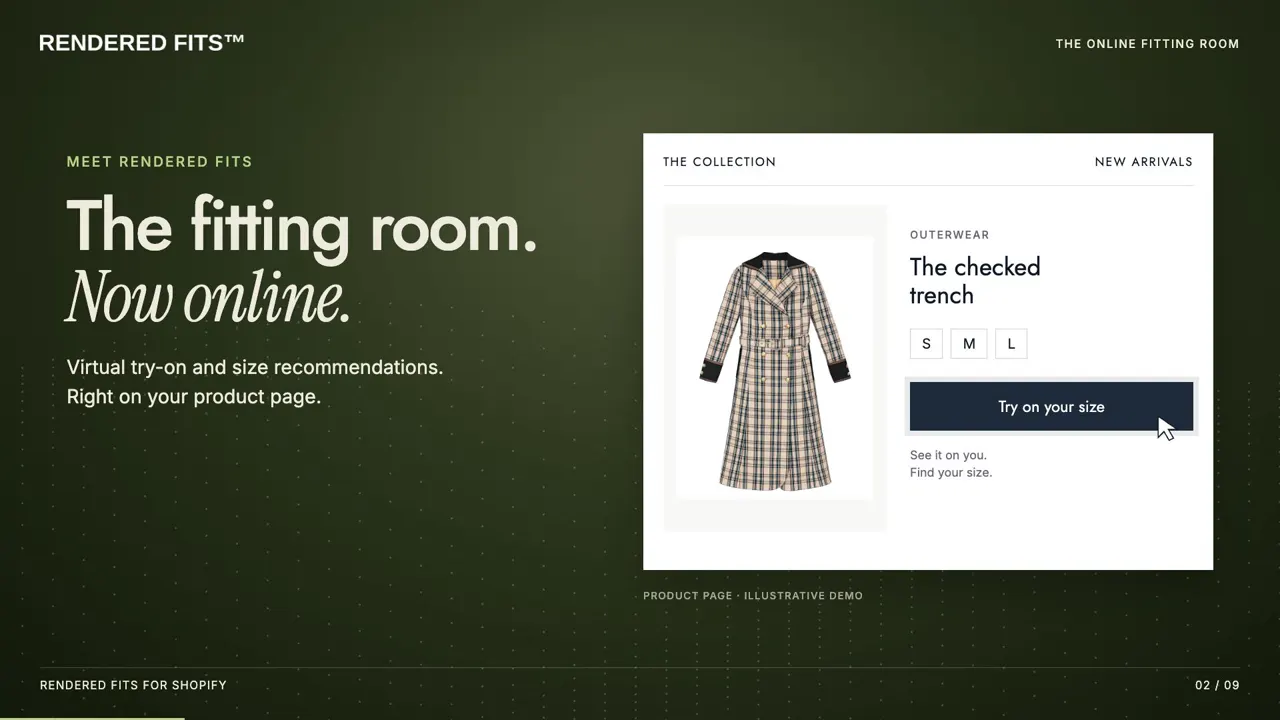
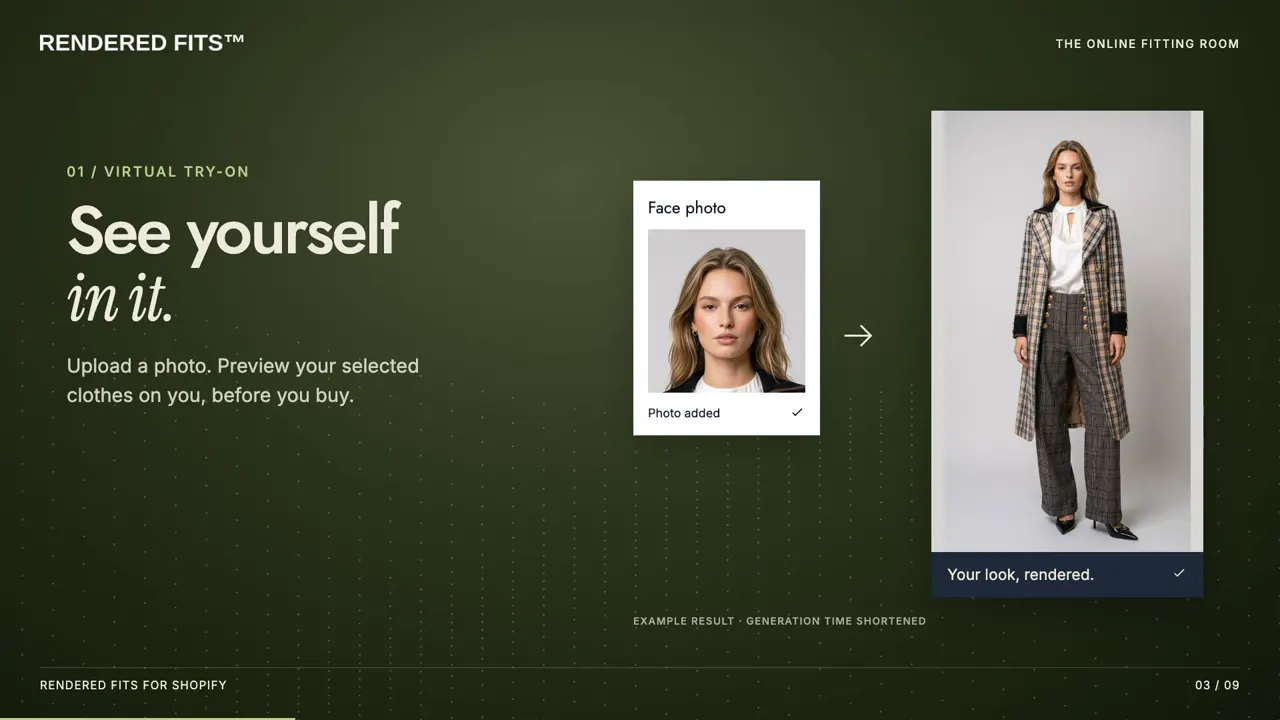
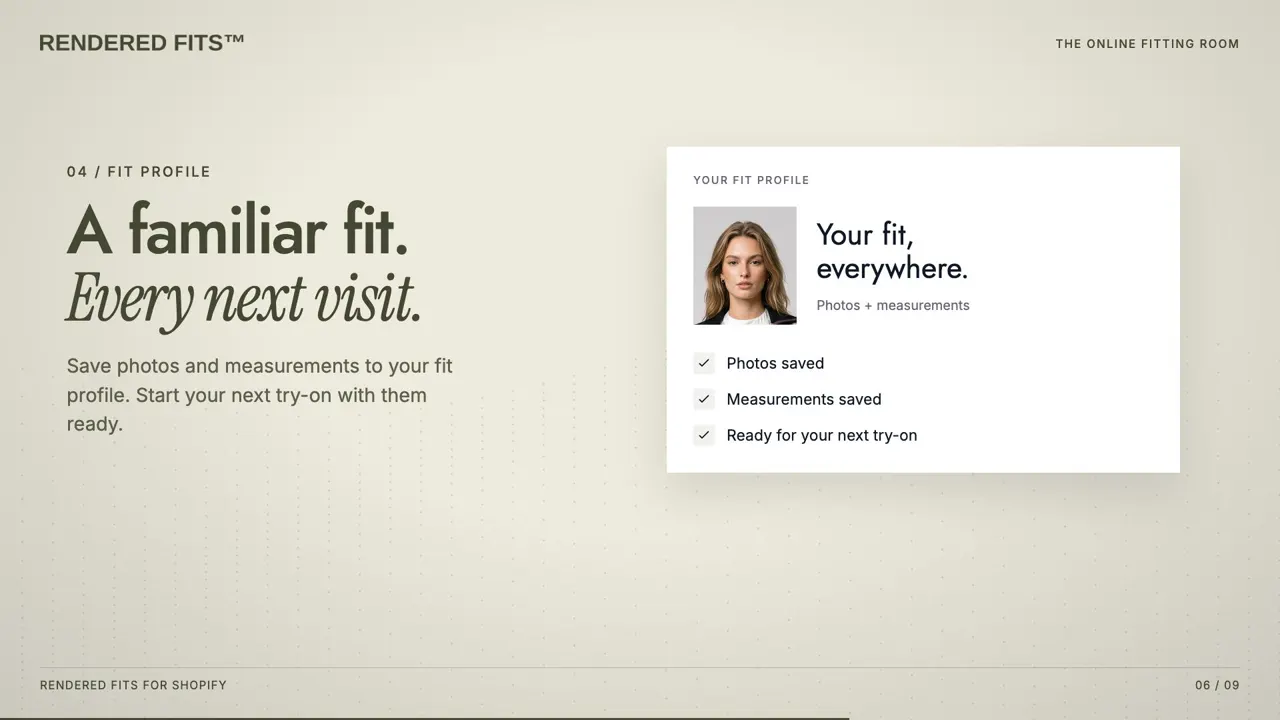
- Garment understanding. The system reads the product photo to separate the garment from the background and model: its outline, colour, texture and details such as buttons or a collar.
- Person understanding. It finds the shopper's body pose, shape and skin areas in their photo, and what they are already wearing.
- Generation. An image model, usually a diffusion model, draws the garment onto the person so it follows their pose, with folds and shadows, while keeping their face and the rest of the photo.
- Checks and delivery. Good systems check the result (for example, that the face is unchanged) before showing it, then delete or expire the photos on a schedule.
Some apps generate extra angles from the first image. Rendered Fits, for example, makes one full-quality front view and generates side and back views from it when the shopper turns the image round. For a deeper technical walk-through, read how AI virtual try-on for clothing works.
What try-on can and can't tell a shopper
A try-on image answers "how will this look on me?" It does not answer "which size should I order?" The model draws the garment to suit the photo, so it will not show that a medium would pull across the shoulders. OpenAI says the same about ChatGPT's try-on: the images "do not guarantee fit or size".
Fit-related returns are the expensive ones, so most fashion brands that add try-on also need size guidance. That usually means a size recommendation built from the brand's own size chart and the shopper's measurements, such as height and weight.
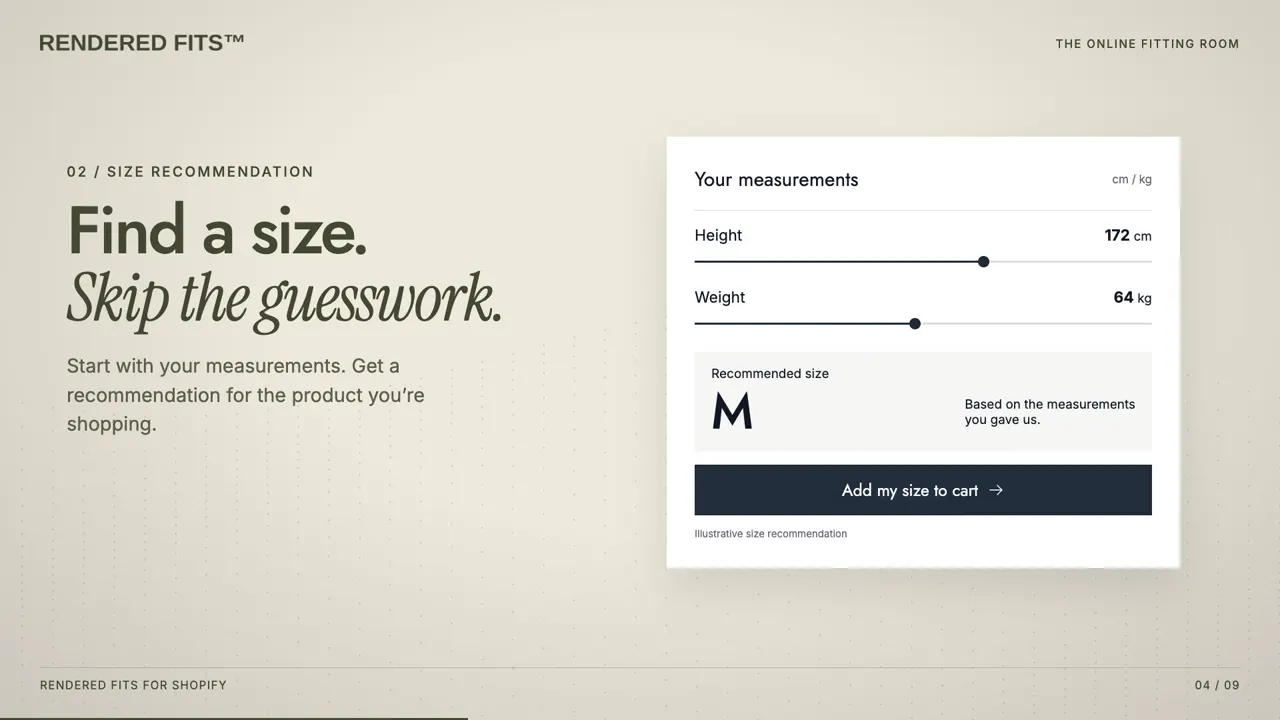
If you are choosing between the two, virtual try-on vs size recommendation compares them, and the size recommendation guide shows how the sizing side works on Shopify.
Where virtual try-on helps most
Try-on earns its place where the shopper's main doubt is how something will look on them, and where a wrong guess is costly:
- Dresses and occasionwear, where silhouette and length decide the purchase. See try-on for occasionwear.
- Coats and outerwear, high-priced and bought on proportion. See try-on for coats.
- Knitwear, where texture and volume are hard to judge on a model. See try-on for knitwear.
- Tailoring and menswear, where colour against the shopper's skin and the overall line matter. See try-on for tailoring.
- Luxury, where the price makes a shopper hesitate longest. See try-on for luxury brands.
It helps less for basics bought on habit, such as socks or plain T-shirts in a known size, and for products where fit is everything and look is secondary, such as performance running tights.
Beyond one garment: whole outfits
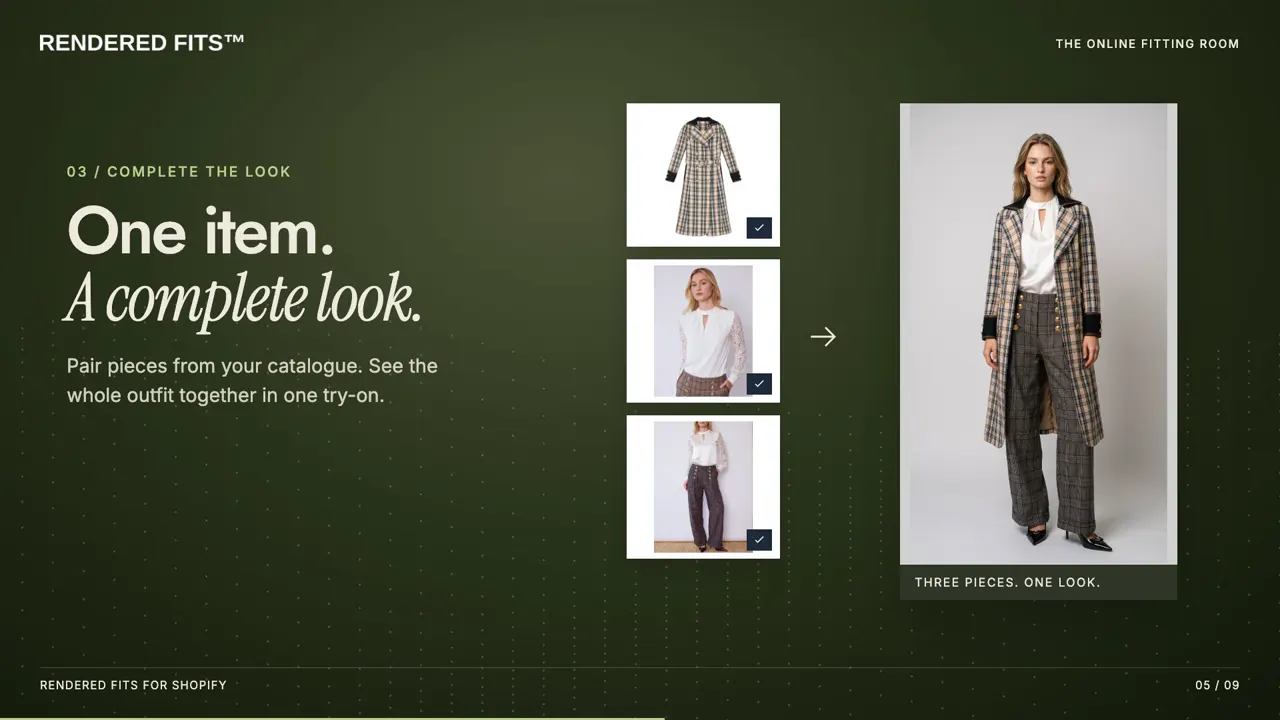
Newer tools let the shopper try on a full look rather than one item. Rendered Fits pairs try-on with Complete the Look: outfit suggestions from the brand's catalogue, a size for each piece and a whole-outfit cart.
What virtual try-on costs
On Shopify, most try-on apps charge a monthly plan that includes a set number of generated images, because each image costs the provider compute. Our breakdown of what virtual try-on costs prices 1,000 try-ons across apps. Things to compare:
- Included images or try-ons per month, and what happens when you run out: a hard stop, or overage charges.
- Whether a free plan or trial lets you test on your own products first.
- What else is included, such as size recommendations, outfits or analytics.
Rendered Fits has a Free plan (personalised sizing on one product and 5 try-on images a month), Complete at $349 a month with 1,000 try-ons and a 14-day trial with 50 images, and Enterprise at $999 a month with 5,000. Prices are in USD, excluding taxes. See current pricing, and the app comparison for how other Shopify apps price it. Custom enterprise builds, outside Shopify's app model, are usually quoted per project.
Privacy: what to check before you switch it on
A try-on photo shows a person's face and body, so in the UK and EU it can count as personal data, and in some US states as biometric data. Before choosing a provider, check:
- how long shopper photos and generated images are kept, and whether deletion is automatic;
- whether photos are used to train models;
- who is the data controller, and whether there is a data processing agreement;
- what the shopper is told before they upload, and whether try-on is optional.
Rendered Fits targets deletion of try-on photos within 48 hours, keeps try-on optional, and publishes its biometric retention policy and data processing agreement. The help centre covers the details.
How to evaluate a virtual try-on app
| Question | Why it matters |
|---|---|
| Does the output look right for your products? | Test a simple garment and a hard one, such as a bold print or a layered look, on photos you have permission to use. |
| Does it also answer the size question? | Fit returns cost more than style returns. An image alone won't reduce them. |
| How quickly can you test it on your own store? | If setup needs a developer or 3D files, you may never get to real results. |
| Does it work on a phone, end to end? | Most fashion traffic is mobile: open try-on, add a photo, see the result, pick a size, add to cart. |
| What happens to the photos? | See the privacy checks above. |
| How will you measure it? | Compare conversion and return rate with and without it over the same period, not against a vendor's headline uplift. |
Our evaluation plan sets out a simple before-and-after test.
Adding virtual try-on to a Shopify store
- Install a try-on app from the Shopify App Store.
- Add its block to your product template in the theme editor, and choose which products show it.
- Preview it on your own products before showing it to shoppers.
- Switch it on, then compare results against the period before.
The setup guide walks through each step for Rendered Fits, and virtual try-on for Shopify shows the full shopper journey.
Frequently asked questions
What is a virtual try-on app?
Software that lets an online shopper see themselves wearing a product before buying. Most clothing try-on apps now use AI: the shopper adds a photo and the app generates an image of them in the garment, made from the brand's own product photos.
How does a virtual try-on app work?
The shopper opens try-on on a product page and adds a photo of themselves. An image model combines that photo with the brand's product imagery and returns a picture of the shopper wearing the garment, usually in seconds. AR try-on works differently: it overlays the product on a live camera feed.
Do virtual try-on apps reduce returns?
There is no guaranteed effect. A try-on image shows how a garment may look, not how it fits; size advice from the brand's own size chart is what targets fit-related returns. Results depend on the store, so measure your own return rate before and after.
Is virtual try-on accurate?
AI try-on is a realistic preview of colour, style and proportion, not a measurement. It can get details such as drape, length or a print slightly wrong, and it cannot tell a shopper whether a size will be tight or loose. Pair it with a size recommendation and test your own products before switching it on.
Is virtual try-on safe for shoppers' photos?
It depends on the provider. Check how long photos are kept, whether they are used to train models, who the data controller is and what the shopper is told before uploading. Rendered Fits targets deletion of try-on photos within 48 hours and publishes its biometric retention policy.
More answers in the virtual try-on FAQ and the glossary. Examples: fashion brands using virtual try-on. Not the same thing: virtual try-on vs AI fashion model photos.