Rendered Fits · Help centre
Rendered Fits Help Centre
Short answers to the questions Shopify merchants ask about Rendered Fits: installing and previewing it, plans and image allowances, size recommendations, virtual try-on, shopper privacy and analytics.
By the Rendered Fits team · Reviewed 20 October 2026. If something here disagrees with the app, the pricing page or our legal documents, those are the source; please tell us.
Getting startedPlans and billingSize recommendationsComplete the LookVirtual try-onPrivacy and shopper dataAnalytics and resultsChanging plan or removing the appGetting help
Getting started
What does Rendered Fits do?
Rendered Fits is a Shopify app for fashion brands. On a product page it gives the shopper a size recommendation for that product, Complete the Look outfit suggestions sized for them, and an optional AI-generated virtual try-on preview of the garment on a photo of themselves. Merchants see which products were sized, tried on, outfitted and bought in the app’s analytics.
Which stores is it for?
Shopify fashion stores selling adult clothing. It works best on products with clear imagery, size variants and usable size information such as a size chart or fit notes. The AI features are for shoppers aged 18 and over; we do not offer them for children’s or teenage ranges.
How do I install it?
- Install Rendered Fits from the Shopify App Store listing and review the permissions Shopify shows you.
- Choose a plan in the app and approve it in Shopify. The Free plan covers one product.
- Add the Rendered Fits button to your product template. The app opens Shopify’s theme editor with the button placed; select Save.
- Preview it on your own store on a phone and a desktop, and check the size it suggests for a product you know well.
- When you are happy, switch it on for shoppers from the app. You can hide it again at any time.
The full walkthrough, with what to check at each step, is in how to add virtual try-on to a Shopify store.
Do I need a developer or any code?
No. The button is a Shopify theme app block that you place and save in the theme editor. You do not edit theme code, and installing the app does not change what shoppers see until you save the block and switch it on.
Will shoppers see it as soon as I install?
No. You can preview everything on your own store first. Shoppers see it only after you have saved the button in your theme and chosen to show it to them.
Plans and billing
What do the plans cost?
| Plan | Price | What it includes |
|---|---|---|
| Free | $0 | Size recommendations on one selected product, 5 try-on images per month, basic analytics, Rendered Fits branding |
| Complete | $349 a month, 14-day trial | Your whole catalogue, Complete the Look, whole-outfit cart, full analytics, 1,000 try-on images per paid cycle; 50 images in total during the trial |
| Enterprise | $999 a month, no trial | Everything in Complete, 5,000 try-on images per paid cycle, lower rates for extra images |
Prices are in US dollars, billed monthly through Shopify, excluding applicable taxes, for one Shopify storefront per plan. There are no percentage-of-sales fees. Custom plans for several storefronts or bespoke requirements are quoted separately. The pricing page has the full terms.
What happens when I use up my images?
Extra images are off by default. On Complete or Enterprise you can switch them on with a spending limit you set; they cost $0.50 each on Complete and $0.35 each on Enterprise. If you leave them off, you are never charged for extra images.
Does the Free plan turn into a paid plan?
No. Free stays free. A paid plan starts only when you approve it in Shopify.
I joined on an older plan. Does my price change?
Existing merchants keep their agreed prices, allowances and trial dates, including at renewal, unless they choose and approve a new plan in Shopify themselves. Nothing moves automatically.
Size recommendations
How does it decide a size?
The shopper enters a few details, such as height and weight, and Rendered Fits recommends one of the sizes you actually sell for that product, using your size chart and fit information. Shoppers can reuse their details across supported products. More on this in the size recommendation guide.
What if a product has no size chart?
Recommendations are best with a usable chart for each product. Where none is available, any general estimate says so, and unsupported products show no recommendation rather than a guess. The size chart checklist and the free size chart audit help you find gaps.
Is the recommended size guaranteed to fit?
No. It is a recommendation based on your product data and what the shopper tells us. It cannot promise physical fit for every item or every body.
Complete the Look
What does Complete the Look do?
It suggests other pieces from your catalogue to wear with the product, sized for the shopper, who can add single items or the whole outfit to the cart. It is part of the Complete and Enterprise plans. See the Complete the Look guide.
Virtual try-on
What does the shopper need to do?
Try-on is optional. A shopper who wants it adds a photo of themselves, and Rendered Fits generates an image of them wearing the garment. Size recommendations work without a photo.
Is the try-on image accurate?
It is an AI-generated preview of how the garment might look, made from your product imagery. It helps with style and appearance, not with physical fit, which is why the size recommendation sits alongside it. Check how your own products look in preview before switching it on.
Which products work best?
Adult clothing with clear product photos. Results vary by garment, image quality and pose, so test the products you plan to use first. The virtual try-on for Shopify guide shows how it looks on a product page.
Privacy and shopper data
What happens to shopper photos?
Photos and generated images are stored temporarily. We target deletion within 48 hours; cloud deletion runs asynchronously, so that is an operating target rather than a guaranteed maximum. Shoppers who choose to save a copy in their own browser keep that copy on their device. Shoppers who create an optional Fit Passport can choose to keep their measurements and, separately, their photos for repeat try-ons, and can delete the passport at any time. Full details are in the Biometric Data Retention and Destruction Policy and the Fit Passport Privacy Notice.
Who is the data controller?
For the try-on, sizing and analytics features in your store, you are the controller and Rendered Fits processes data on your behalf under our Data Processing Agreement. For the optional Fit Passport, Rendered Fits Ltd is the controller. The legal documents page has every policy and the merchant terms.
What should I tell my shoppers?
Rendered Fits shows its own photo notices in the try-on. Keep your store’s privacy policy accurate for the features you switch on, and do not replace our published privacy wording with a generic template.
Analytics and results
What does the analytics page show?
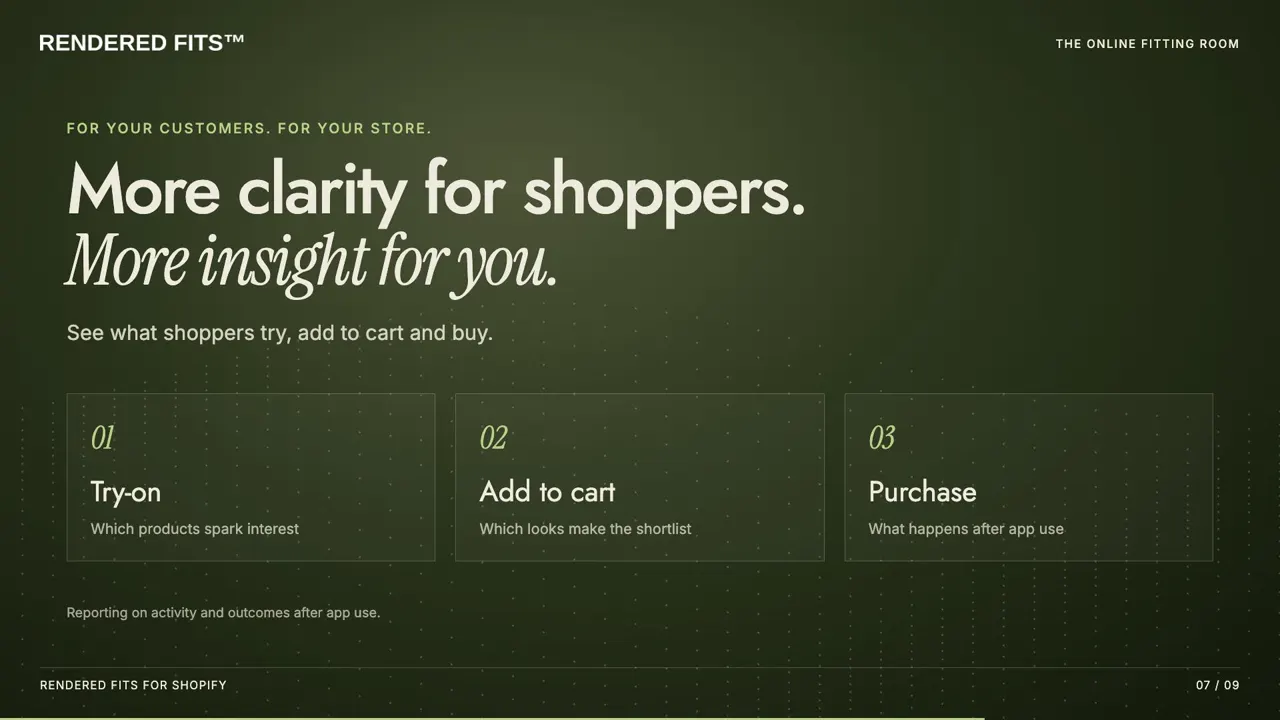
Which products were sized, tried on and outfitted, and which of those were bought. These are observations: a purchase after a try-on does not prove the try-on caused it.
Will it reduce my returns?
It is designed to help shoppers choose the right size, which is a common reason for returns, but the effect depends on your products, size data and customers and has to be measured in your store. Rendered Fits has not published a controlled merchant return-reduction result. The measurement plan shows how to compare return reasons before and after, and the returns evidence guide explains what published studies do and do not show.
Changing plan or removing the app
How do I change plan?
Open Plan and billing in the app, choose the plan and approve it in Shopify. A new plan takes effect only once you approve it.
How do I remove Rendered Fits?
To take it off your storefront but keep the app, hide it from shoppers in the app or remove the block in the theme editor. To remove it completely, uninstall it from Apps in your Shopify admin; Shopify manages app charges. What happens to data afterwards is set out in the merchant terms and the Data Processing Agreement.
Getting help
Email [email protected] with your store address and what you are seeing, or book a call through the contact page. You will hear back from the Rendered Fits team. Rendered Fits Limited is registered in England and Wales, company number 16922551; more on the about page.
Try it on your own store
Install the Free plan on one product, preview it, and decide before shoppers see anything.